How a call moves through Gbox
Three views of the same system: what happens inside one call, the messages in order, and the path a customer takes from paying to hearing audio in their own application. Packet sizes and timings are measured on real hardware, not estimated for a diagram.
1 · Activity — inside one call
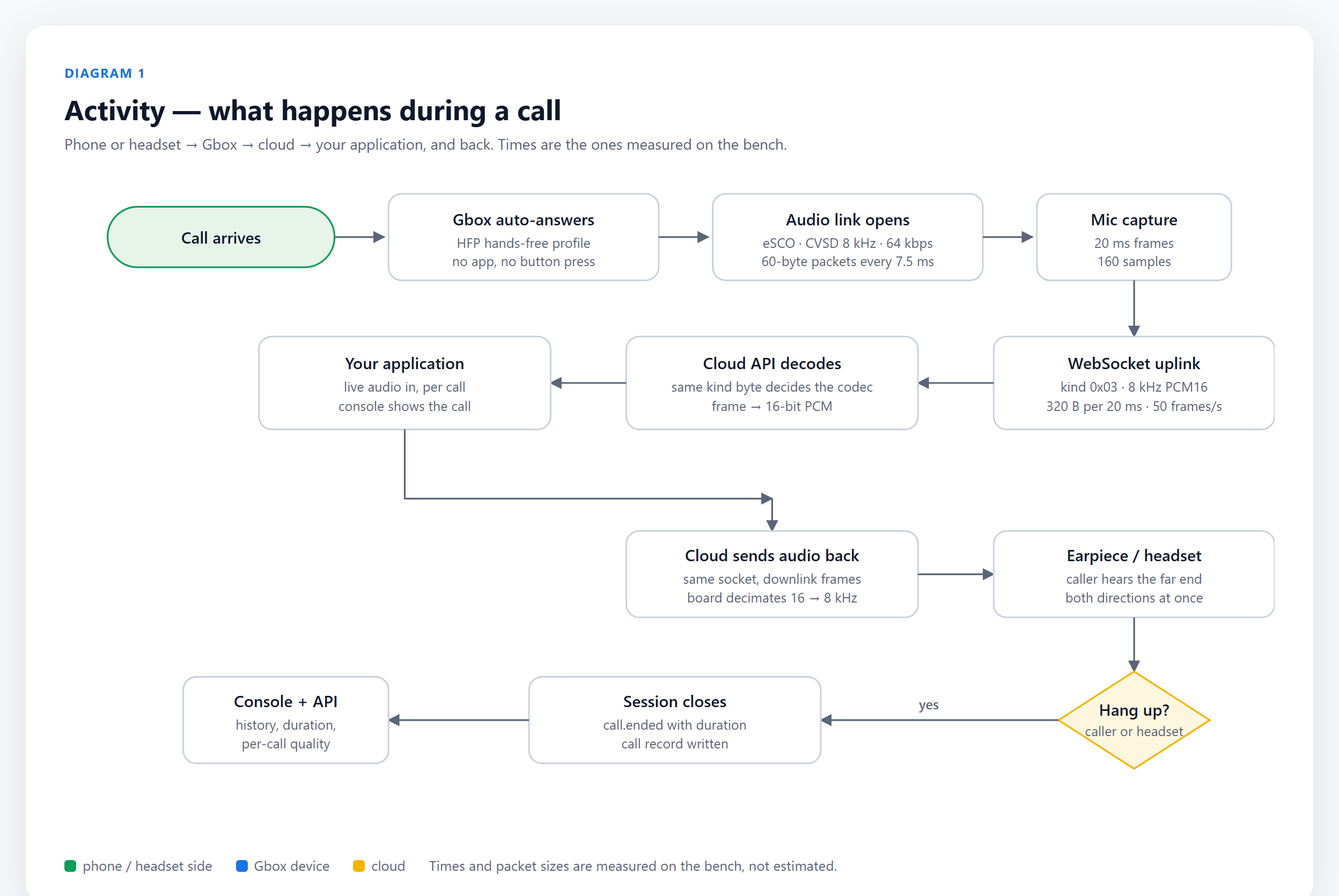
A call arrives, Gbox answers it by itself, the Bluetooth audio link opens, and the microphone is cut into 20 ms frames that go up a dedicated UDP channel, while control stays on one WebSocket. The cloud decodes the audio and hands it to your application; the far end's audio comes back down the same UDP channel to the earpiece. Hanging up closes the session and writes the call record the console reads.
2 · Sequence — the messages, in order
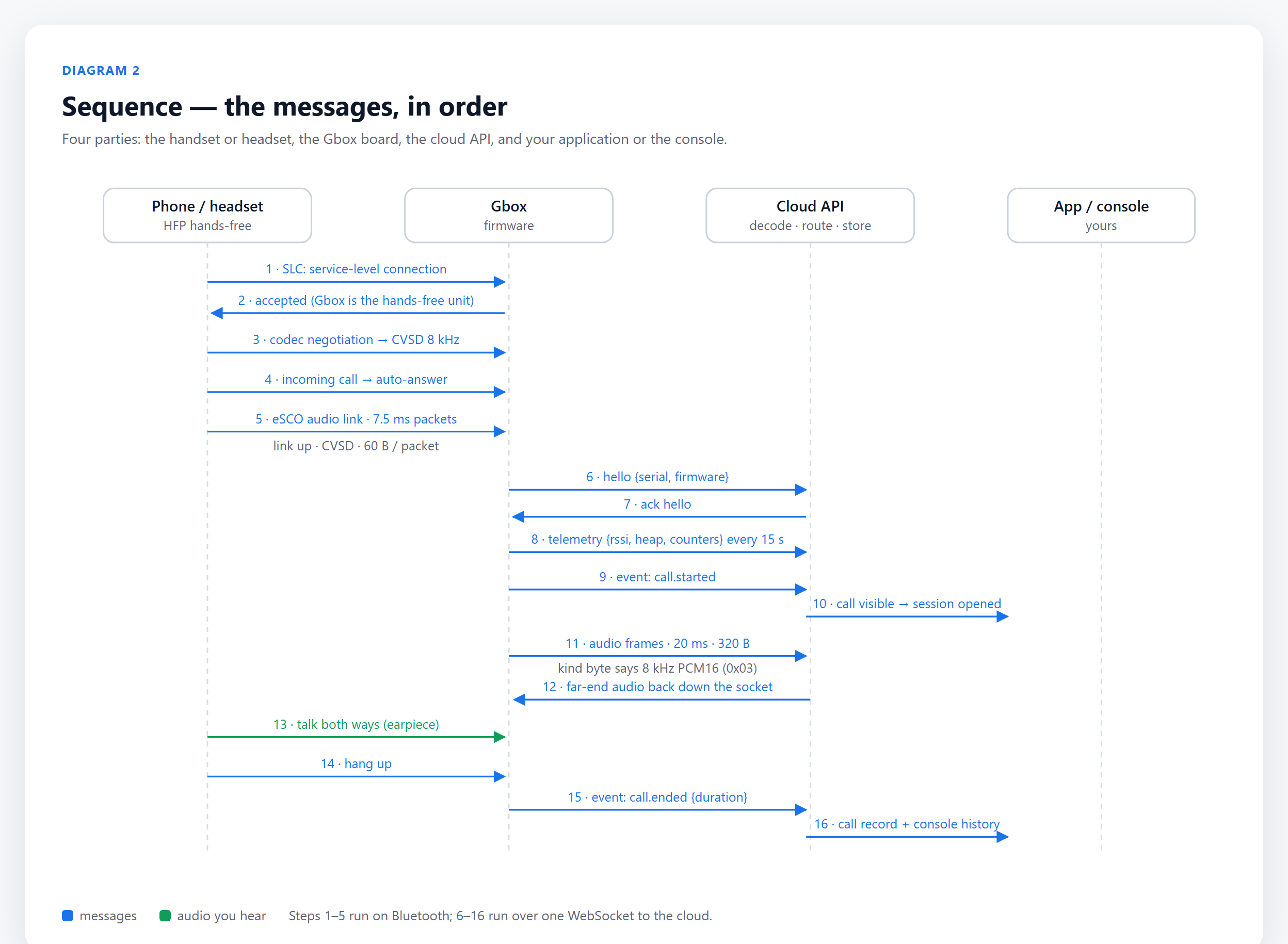
Sixteen messages between four parties. Steps 1–5 are Bluetooth: service-level connection, codec
negotiation, incoming call, auto-answer, audio link. Steps 6–16 use two channels to the cloud: hello, telemetry and the call
events (call.ringing, call.answered,
call.ended) travel on one WebSocket, while the audio frames go over UDP
and are written to the call record when the session closes.
3 · Workflow — from paying to a call in your application
The customer path, seven steps: buy, receive, power and Wi-Fi, claim the serial, pair a phone or headset, make a test call, and go live. Each step is one screen or one API call, and each account gets its own tenant, so one customer's calls are never visible to another.
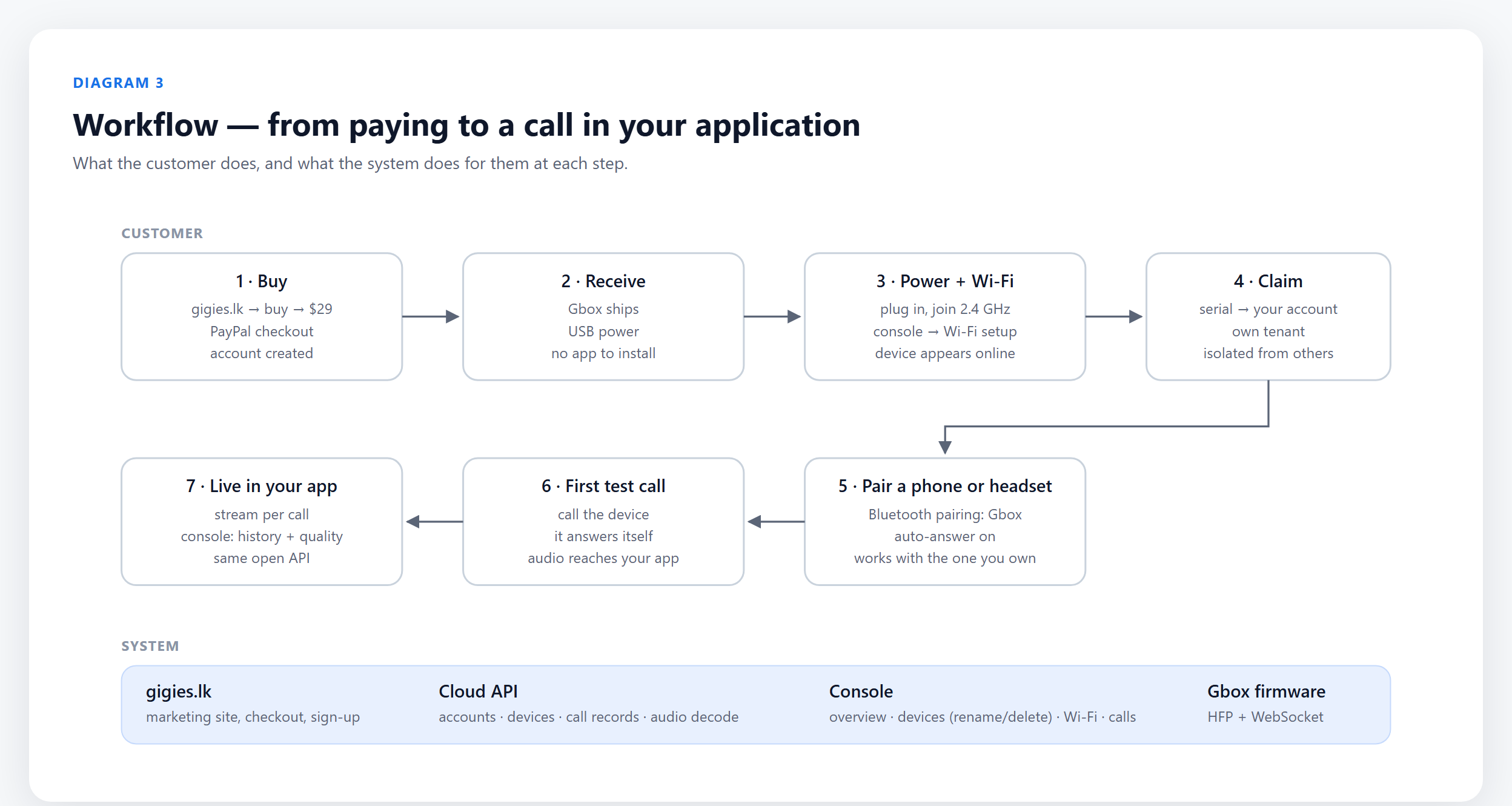
The API the console uses is the API your application uses. The device speaks Bluetooth HFP on one side and a single WebSocket on the other, so the same unit works with the headset a customer already owns — no app to install, no per-minute fee while in preview.